React 엑셀 다운로드
내가 자주 사용하는 엑셀 파일로 다운로드를 하기위해
XLSX와 FileSaver를 다운받아야한다.
XLSX는 복잡한 스프레드시트에서 유용한 데이터를 추출하고 새 스프레드시트를 생성하기 위해 검증된 오픈 소스이다.
https://www.npmjs.com/package/xlsx
xlsx
SheetJS Spreadsheet data parser and writer. Latest version: 0.18.5, last published: 2 months ago. Start using xlsx in your project by running `npm i xlsx`. There are 3060 other projects in the npm registry using xlsx.
www.npmjs.com
FileSaver는 크기 제한보다 더 큰 파일을 저장해야 하거나 RAM이 충분하지 않은 경우 새로운 스트림의 힘으로 비동기식으로 직접 데이터를 저장할 수 있다.
https://www.npmjs.com/package/file-saver
file-saver
An HTML5 saveAs() FileSaver implementation. Latest version: 2.0.5, last published: 2 years ago. Start using file-saver in your project by running `npm i file-saver`. There are 3110 other projects in the npm registry using file-saver.
www.npmjs.com
코드는 아래와 같다.
import * as FileSaver from "file-saver";
import * as XLSX from "xlsx";

const ReactExcelDownload = () => {
	const data = [
    {
      id: 1,
      title: '집에 가고싶어요',
      content: '너무 졸려 가고싶어요.'
    }, {
      id: 2,
      title: '오늘은 뭐하지',
      content: '퇴근 하고 뭐할까??'
    }, {
      id: 3,
      title: '저녁은 어떤거로?',
      content: '저녁은 치킨인가 피자인가 고민이다.'
    }
  ]

  const excelFileType = 'application/vnd.openxmlformats-officedocument.spreadsheetml.sheet;charset=UTF-8';
  const excelFileExtension = '.xlsx';
  const excelFileName = '작성자';

  const excelDownload = (excelData: any) => {
    const ws = XLSX.utils.aoa_to_sheet([
      [`작성자_kkhcode`],
      [],
      ['제목', '내용']
    ]);
    excelData.map((data: any) => {
      XLSX.utils.sheet_add_aoa(
        ws,
        [
          [
            data.title,
            data.content
          ]
        ],
        {origin: -1}
      );
      ws['!cols'] = [ <-- 행 사이즈
        { wpx: 200 },
        { wpx: 200 }
      ]
      return false;
    });
    const wb: any = {Sheets: { data: ws }, SheetNames: ['data']};
    const excelButter = XLSX.write(wb, { bookType: 'xlsx', type: 'array'});
    const excelFile = new Blob([excelButter], { type: excelFileType});
    FileSaver.saveAs(excelFile, excelFileName + excelFileExtension);
  }

	return (
    	<div>
        	<button onClick={() => excelDownload(data)}>엑셀 다운로드</button>
        </div>
    );
};
작성하게 되면 화면은 아래와 같이 나온다.

버튼을 클릭하게 되면 아래와 같이 엑셀파일로 다운로드를 받을 수 있는 것을 확인할 수 있다.

엑셀 파일을 열어보게 되면
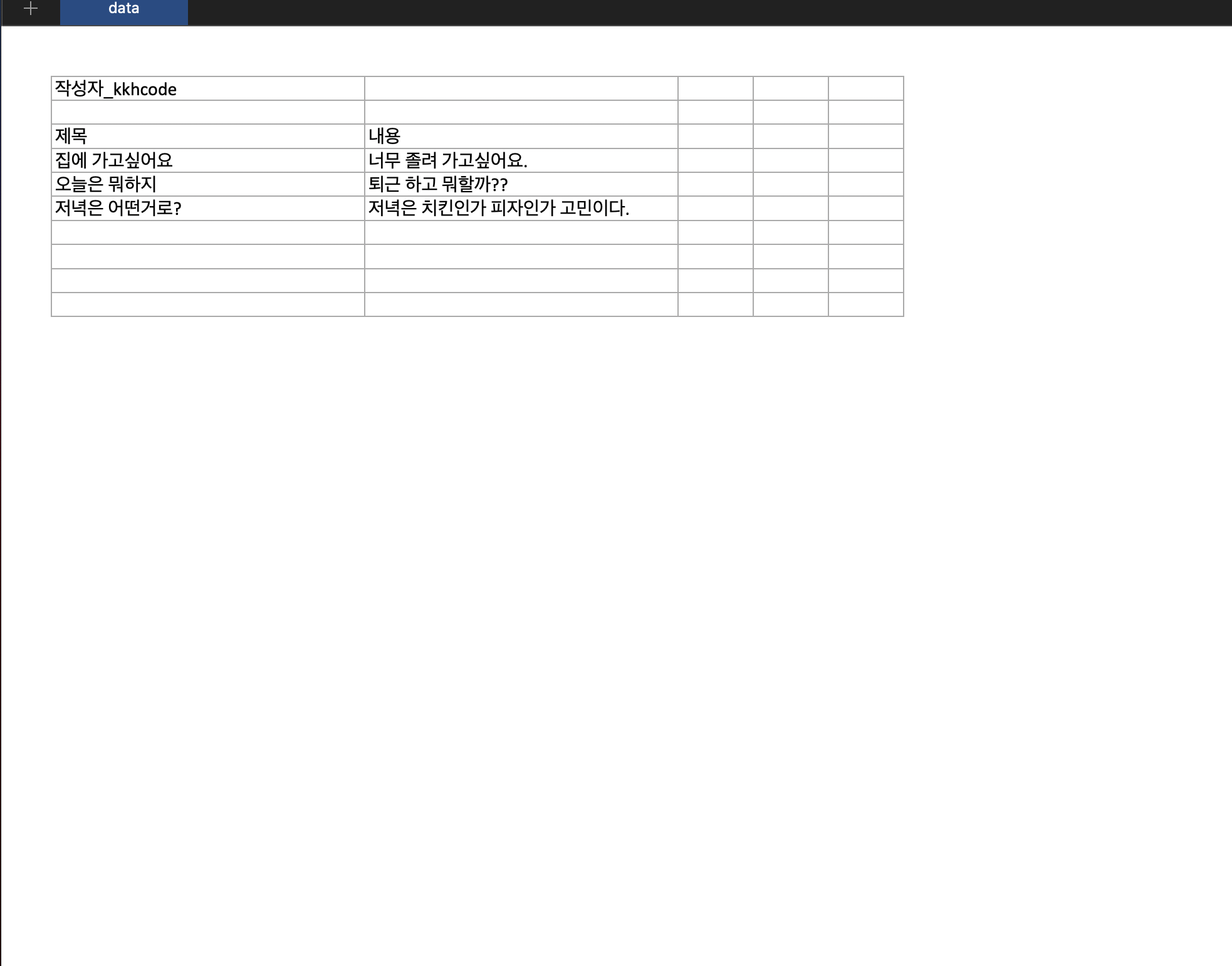
즉, excelFileName은 파일 다운로드를 받을 때의 파일명, excelFileExtension은 파일 확장자를 나타내며,
[`작성자_kkhcode`]는 첫번째 행에 나오게 된다. 중간에 빈 [] 값을 준 이유는 빈 열을 만들기 위해 사용했다.
ws['!cols']는 엑셀 파일의 행 사이즈를 조절할 수 있게된다.